Maybe your job is making the switch Enterprise-wide. Maybe you got a new job. Maybe you bought yourself one for Labor Day because …. why not?
First of all, what is Windows? What is Mac? Are these even the right terms? That depends on what you mean. If we’re talking operating systems, which is usually what people are referring to, you’d really say MacOS versus Windows. But if you’re talking about the brand, you mean Apple versus Microsoft. But just about the metal computer machine things they sell. Portable or not. You’d probably say Windows versus Mac.
Listen: just because Coke and Pepsi are #1 and #2 doesn’t mean you should ignore RC Cola. I’m talking about Linux. Or Unix. No one really knows the difference. But this is the truth: Linux is like Unix, but with magic powers.
Anyway, congrats on your new Mac. For your first lesson, press Command + space. If nothing happened, press Command first, then space (but do it quickly, like no slower than two beats from GZA and Method Man in Shadowboxin).
This is all you have to know about Macs. Their folder structure is a total mystery. It has no pattern. Then you have Apple Cloud stealing things away like chocolate mousse disappears off a dessert tray. But what’s really important is you can drag things from the Downloads folder, and it cleans (deletes) Install files for you. Macs are p classy.
The best way to start your day is opening up a 2-pound laptop that somehow has 512 GB of RAM shoved into it (caugh cough, saudered tight), command space ‘t-e-r-m-i’ + return. That’s right: The return button. Windows calls it Enter. It’s literally the same thing. This is how companies fight. It’s really adorable. Macs don’t capitalize their do-everything button. It’s because they’re above that.
But yeah, Macs care about appearance, so you can make your terminal all custom. Mine’s blue, like whales in the ocean.
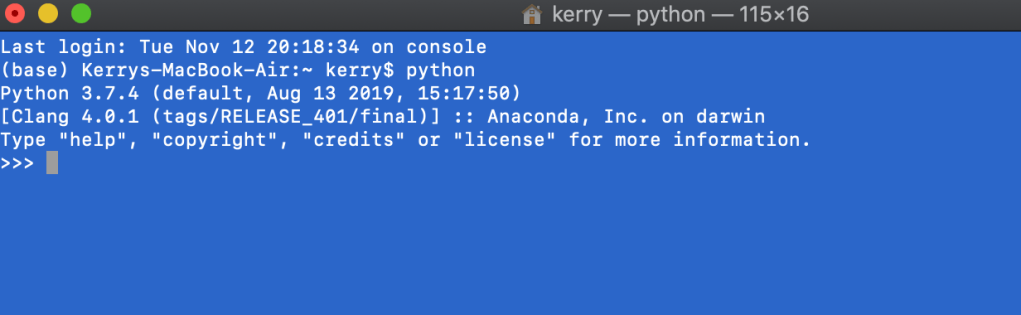
I finally caved on Anaconda and it was like, the second thing I downloaded when I got my new Mac. And I recommend you do the same. Anaconda is like your DIY-data-science tool. It’s free. My Mac wasn’t free, but this fun stuff is. Anyway, I downloaded it so fast because my 2019 Mac had python 2.7 as it’s default???? That was super weird to me. Will python 2.7 really be deprecated? Is Apple hinting they’ll take care of it?
You should literally never code like this. It’s healthier to start your day out by opening a Jupyter Notebook and having it just running, waiting. Because even though it takes less than a second to open the python interpreter, you’re going to write so much code and it’s going to work so well that you’ll spend the next 30 minutes copy and pasting it and formatting it over. Don’t trap yourself into that corner…
If you want both, command + t.

You’re probably thinking what I’m thinking. 10 simultaneous Jupyter Notebooks running. Yeah dude.
So yeah, that’s how to switch from Macs to wIndows. You’ll get through it.

 how2py