First, it may help to begin with Introduction: the Pythonic Object and Class. This is recommended, but not required.
Once those basics are down, we’re ready for some non-numerical data structures.
Strings
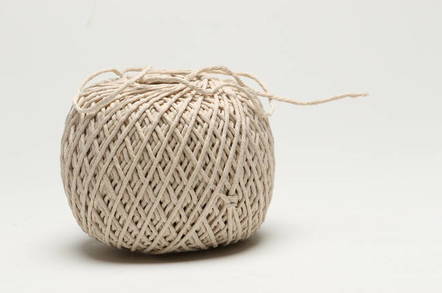
Today, the word “string” is going to earn a brand new meaning for you.
“String” is now going to always be in “quotes.” Because a “string” is represented in quotes in python — ‘single’ quotes, “double” quotes, or “””triple-double””” quotes.
Let me show you what I mean.
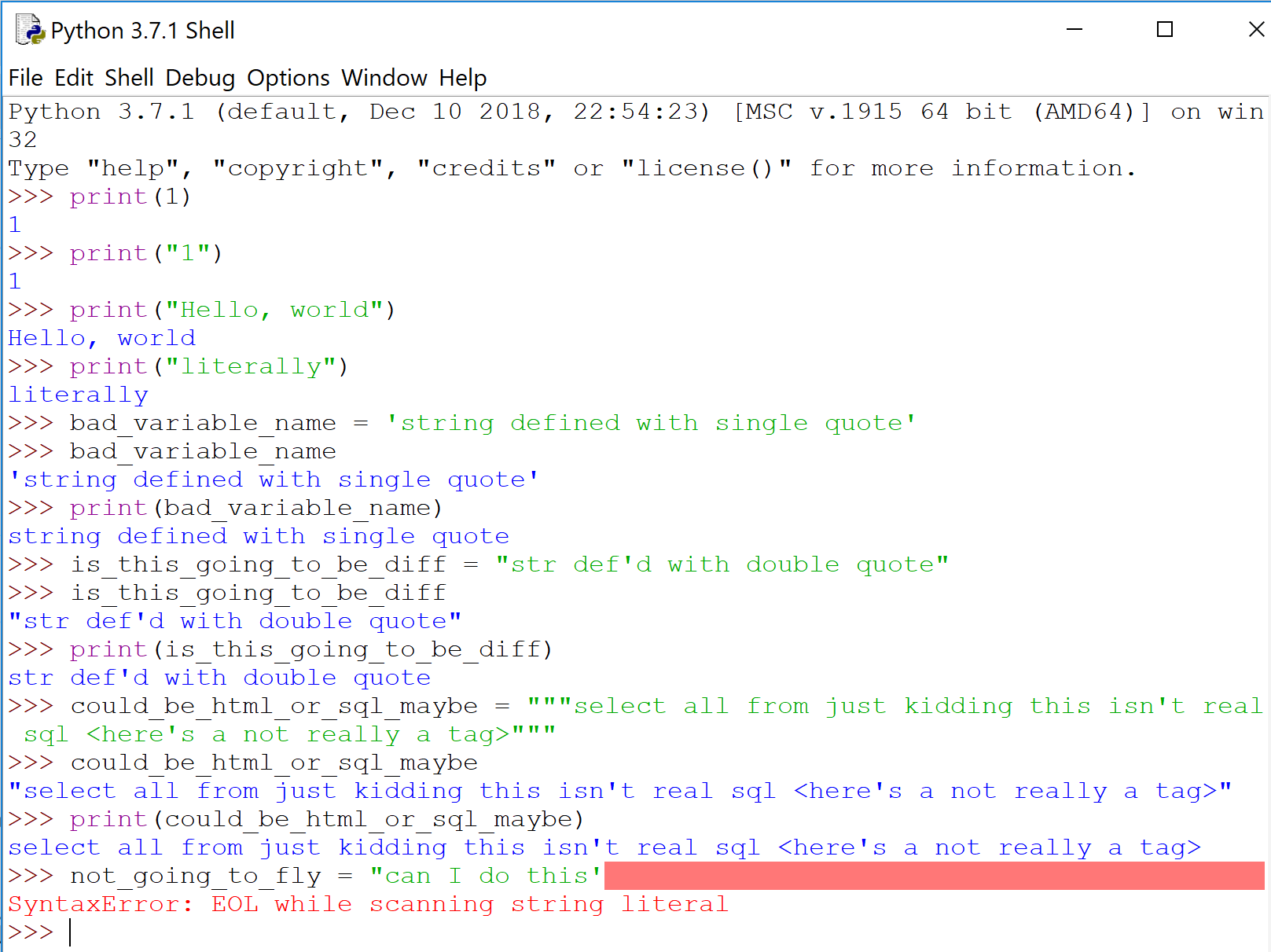
Whether you use double quotes or single quotes is mostly style. Triple-double quotes is conventionally used for multi-line strings. Notice above how python prints with double quotes only if there is a single quote within the string itself; otherwise it will use single.
‘Strings’ are taken literally. You can print stuff with “strings”, like in English. Careful not to use different types of quotes when defining a “string’ — python will complain.
It’s …usually obvious when to use a ‘string’ versus a number. So let’s talk about when it’s not obvious: zip codes. Consider using a ‘string’ even though it’s all numbers. Observe:
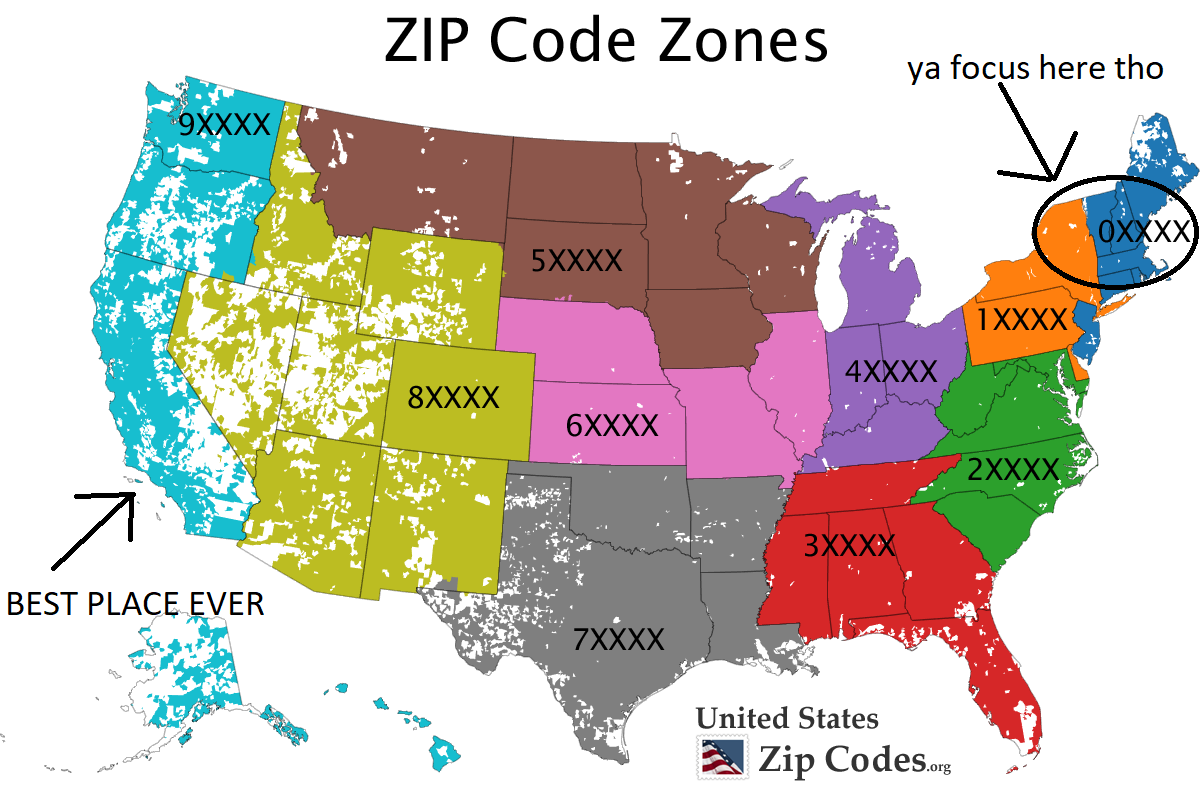
90210 is always 90210. 60687 is always 60687. But 01278? Or any other zip code in dark blue up there in the top right? Numerically speaking, 01278 is just…1278.
Python agrees.
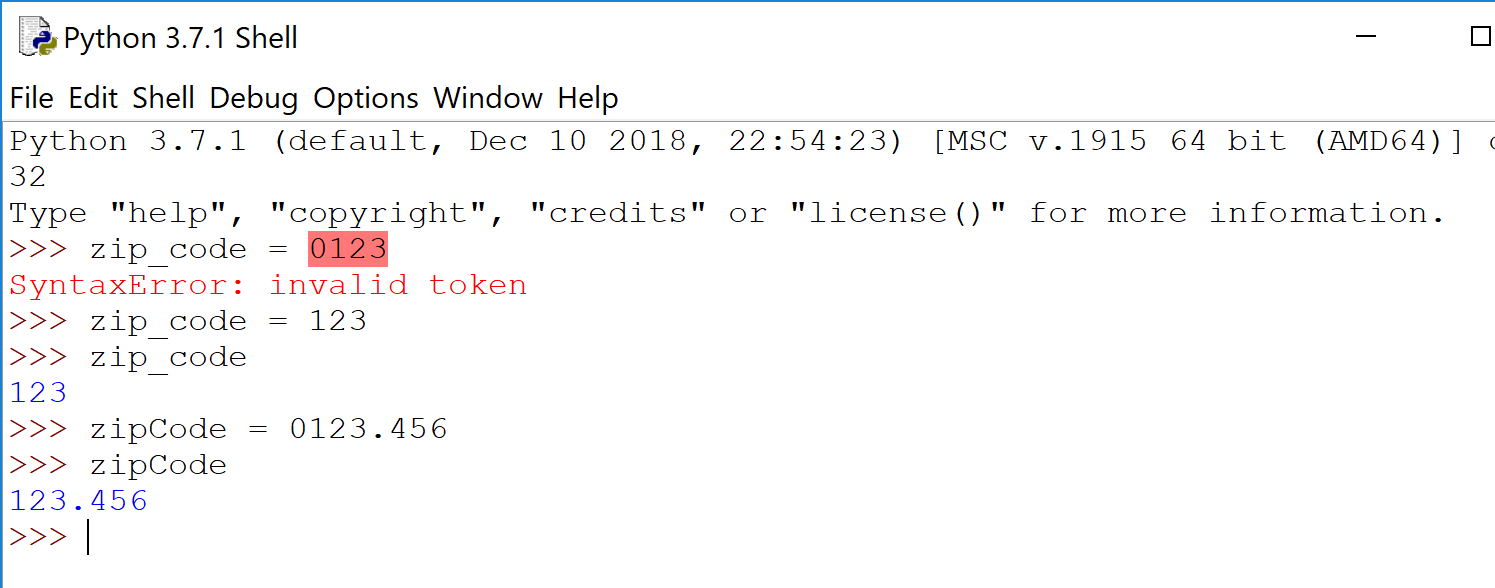
Python is either a. not down (if you give an integer), or b. just drops the leading zero (if float). Most languages behave similarly. And when you have a collection of zip codes, or any other numerical codes what begin with a zero, it can be more difficult to spot.

Lists
If quotes is to “string”, then square brackets is to [list].
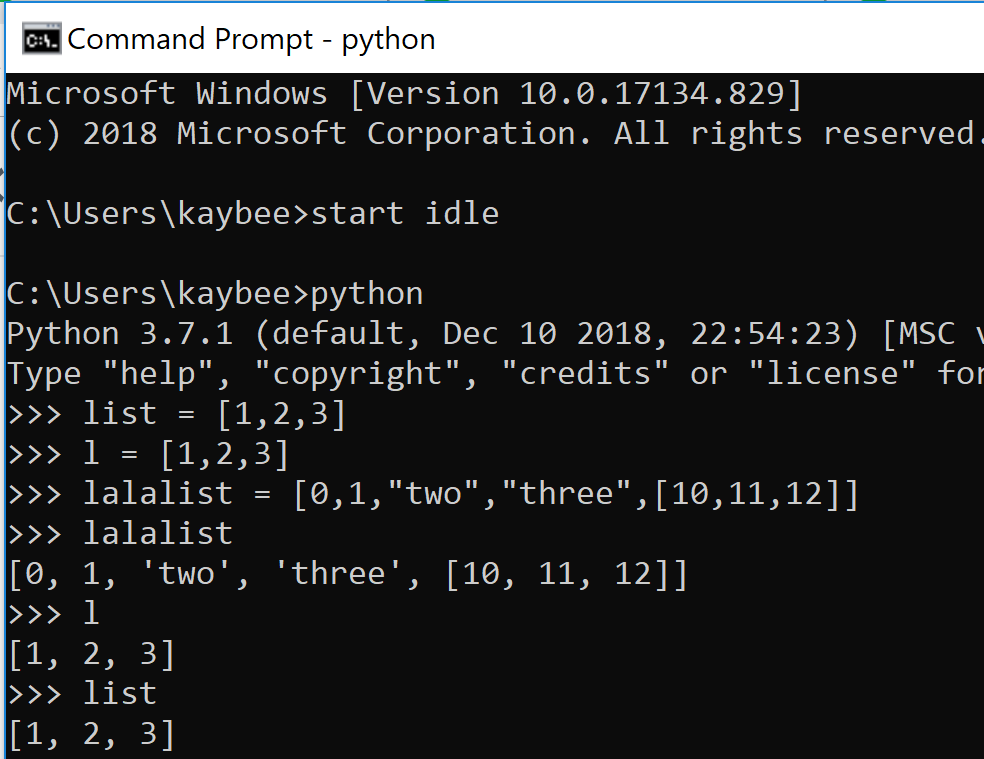
A list…lists things for you. It is a collection of things. In this regard, it is like your typical array (from other programming languages). The pythonic list is not like arrays in that you are not limited to a single datatype per instance. You can put whatever you want in there. Ints, floats, strs. More lists. In other words, lists are way cooler than arrays.
And potentially more dangerous.
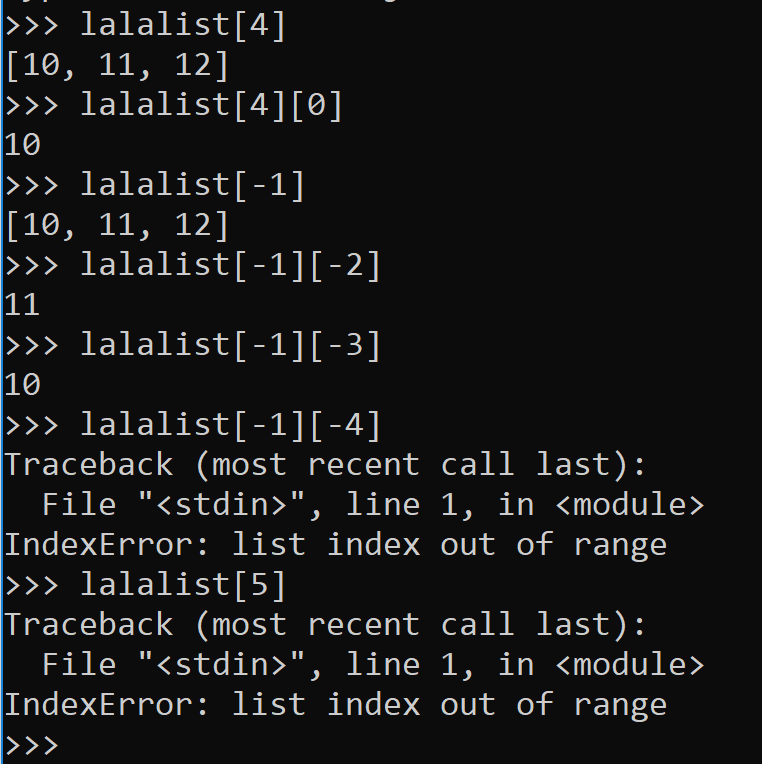
You can index elements in a list, starting from 0 and ending in -1 (see right).
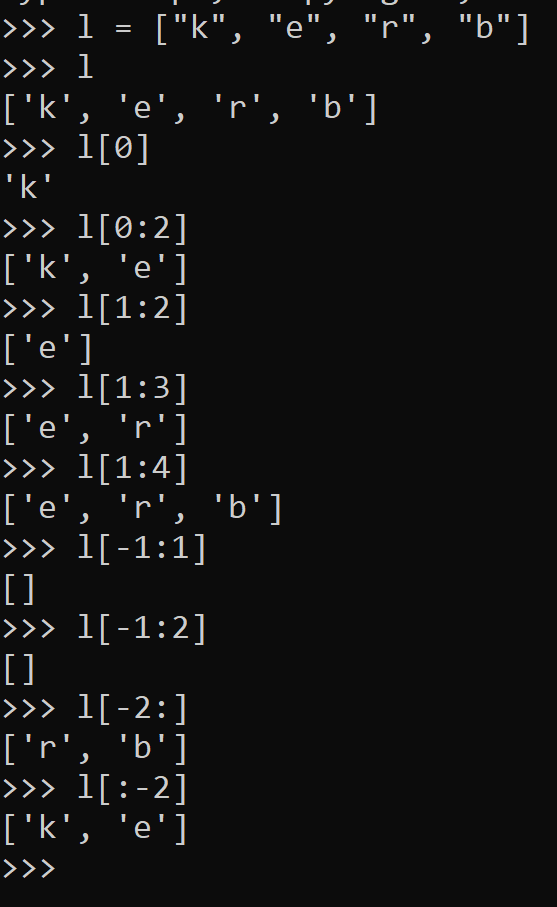
If you want more than one element from your list, you can slice the list with a colon :, the beginning index, and the ending index less 1.
I wish they either used the beginning index and the ending index or the beginning index – 1 and the ending index – 1 but I’m sure they have their reasons. By the way, this is referred to as inclusive or exclusive. What’s that?
Consider [1:3) versus (4:7] versus (5:9) versus [2:8].
You may recall from mathematics that [1:3) is inclusive of 1[2:8] mean?
Anyway, indexing a list is always done with brackets when you stick it into python, but mathematically, you can think of it like [beg:end). Conceptually, this is how to slice.
Just note that if you fail to always use the square brackets [] with lists in python, the compiler will yell. Parenthesis () are saved for tuples… but that is coming later!
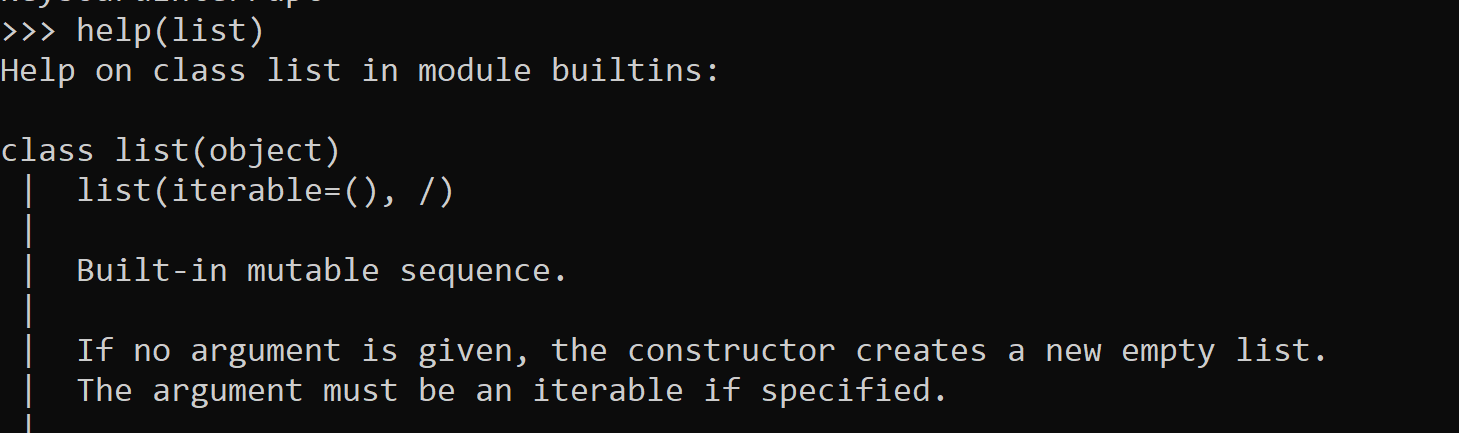
Slicing can be useless if your list isn’t sorted the way in needs to be. Yet, you can easily sort alphabetically or numerically using the sort method. Lists have lots of other fun toys, too. Every built-in method available and how to use them (i.e. the correct syntax) can be found using the python help method (DON’T think about this too hard). Content from help comes from the author’s documentation. So if you ever write your own object… be sure to document it such that any newbie of the street can use it.
Other packages such as itertools have some great supplemental materials for python’s built-ins as well. Itertools essentially helps to avoid writing for loops, which can get ugly.
While you can index or slice a list, you may want to be fancier with how you label and call the elements in a collection. For example, instead of labeling an element as a generic 0, 1, or -5, you may want to call it by something more specific, like “First Names”, “password”, or “Zip Codes”. That’s where dictionaries can help you.
Dictionaries
Dictionaries are my favorite. The pandas dataframe came along and made everything all “user-friendly” but the collection known as the dictionary will always be my favorite.
Other languages may call the pythonic dictionary a map. Or a mapping. A key-value match. KV match map. You map the key to the value. It’s all pretty much the same.
Dictionaries (and maps) have key-value pairs. The keys are unique. The values each belong to their respective keys. Both key and value can be any datatype in python.
When learning new things, I often think of what the name of the thing means in English. The word dictionary to me is a big book with words in it that have respective definitions. The word is the key and the definition is the value. Could be why they called it a dictionary. Personally I think that makes more sense than a map. Like, this is a map:
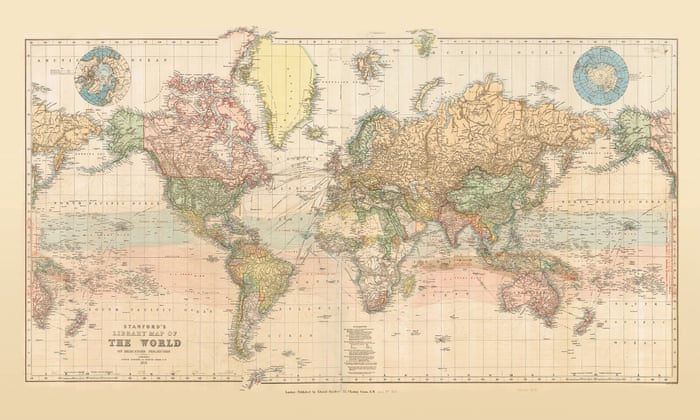
To each his own. As we’ve discussed, a name is just a name. It’s about what is truly beneath the name (albeit logical names do help).
Remember when we indexed the list earlier? We had to know like, where the element was in the list in order to yoink it out. Dictionaries are by definition, unordered. You couldn’t index by it’s position if you tried. But indexing by position is for lists (and tuples)! You “index” your value(s) out of the dictionary by it’s key, rather than position.
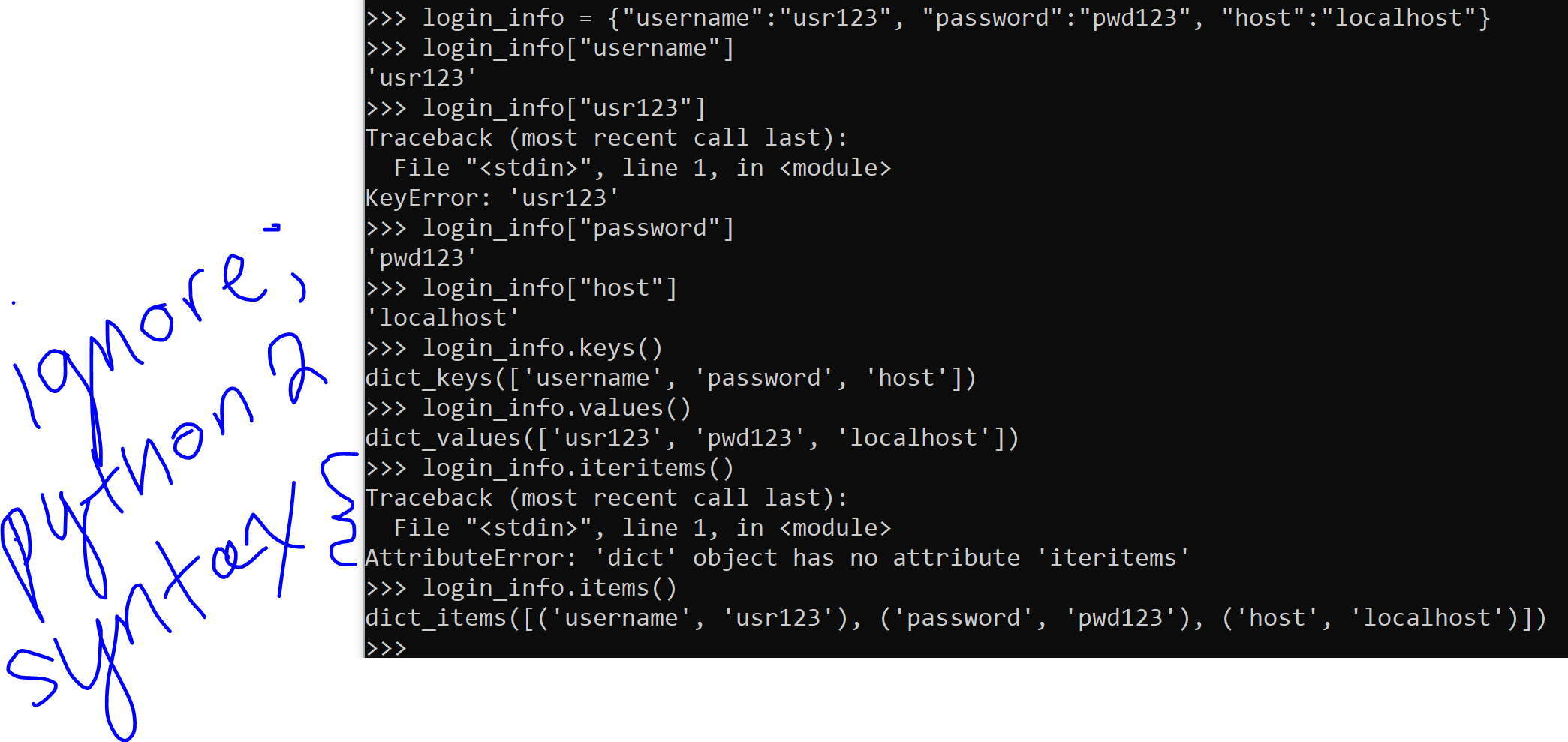
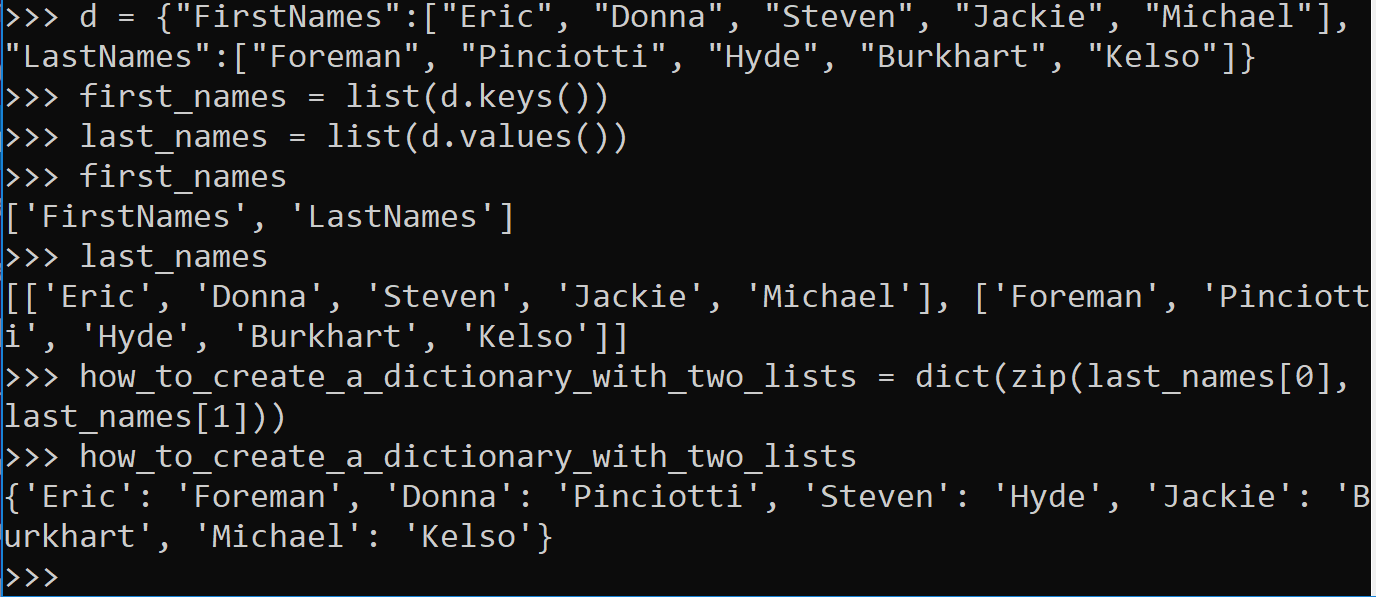
Cool, right? Dictionaries are also useful when multiple values belong to a single key.
Tuples and Sets
Python also has tuples and sets.
Tuples are immutable. The word “mutable” is similar to the word “mutate,” which indicates a change has happened. So tuples can’t be changed.
This is different from lists and dictionaries. It is essentially the only difference between a tuple and a list.
You may want your collection to be immutable. You may not. This is what helps you make the decision between a list and a tuple.
Tuples use parenthesis () instead of the square brackets [].
I’m sure sets are useful but I’ve never used them in my life. They don’t allow duplicates, that’s what makes them special. The set uses both brackets and parenthesis ([]).
They’re also mutable. You can change them. As long as you don’t attempt to change an element to an element that already exists. I’ve never tried that. Could be interesting.

 how2py
One thought on “How to Structure non-numerical Data”