This post has no python code in it but it’s still relevant. How do you run python files? How do you edit python code? That’s up to the developer (hint: you’re the developer).

IDE stands for Integrated Development Environment. It’s a place to edit and test files. “Testing” files is another way of saying “running” files. Think about it.
You can edit files in an IDE and you can run (or test) files in an IDE. It is often convenient to do both in the same place, but maybe not. You can use something simple like Notepad++ to edit, and run your files in a Terminal, such as Git Bash.
For more information on IDE’s on both Mac and Windows, CodeAcademy does an elegant job of keeping it short and helpful.
A coworker got me into Notepad++ because it shows line endings (i.e. CR or LF) and understands different file suffixes (such as .py or .sh), but doesn’t freeze every time you forget to indent. Perhaps I should explain. My problem with most IDE’s (cough cough PyCharm) is that their cool toys come at a price, and I don’t mean a dollar amount. They freeze or crash unexpectedly, and when I say unexpectedly, I mean when you’re in the middle of a brain tangent that has now become drenched and useless in the frenzy that is dealing with a program crashing. If I could pay a dollar amount to get back some of those brain tangents, I would! Call me simple but Notepad++ is, while boring — reliable.
This is where my Notepad++ lives, shown via File Explorer. Where does yours live?
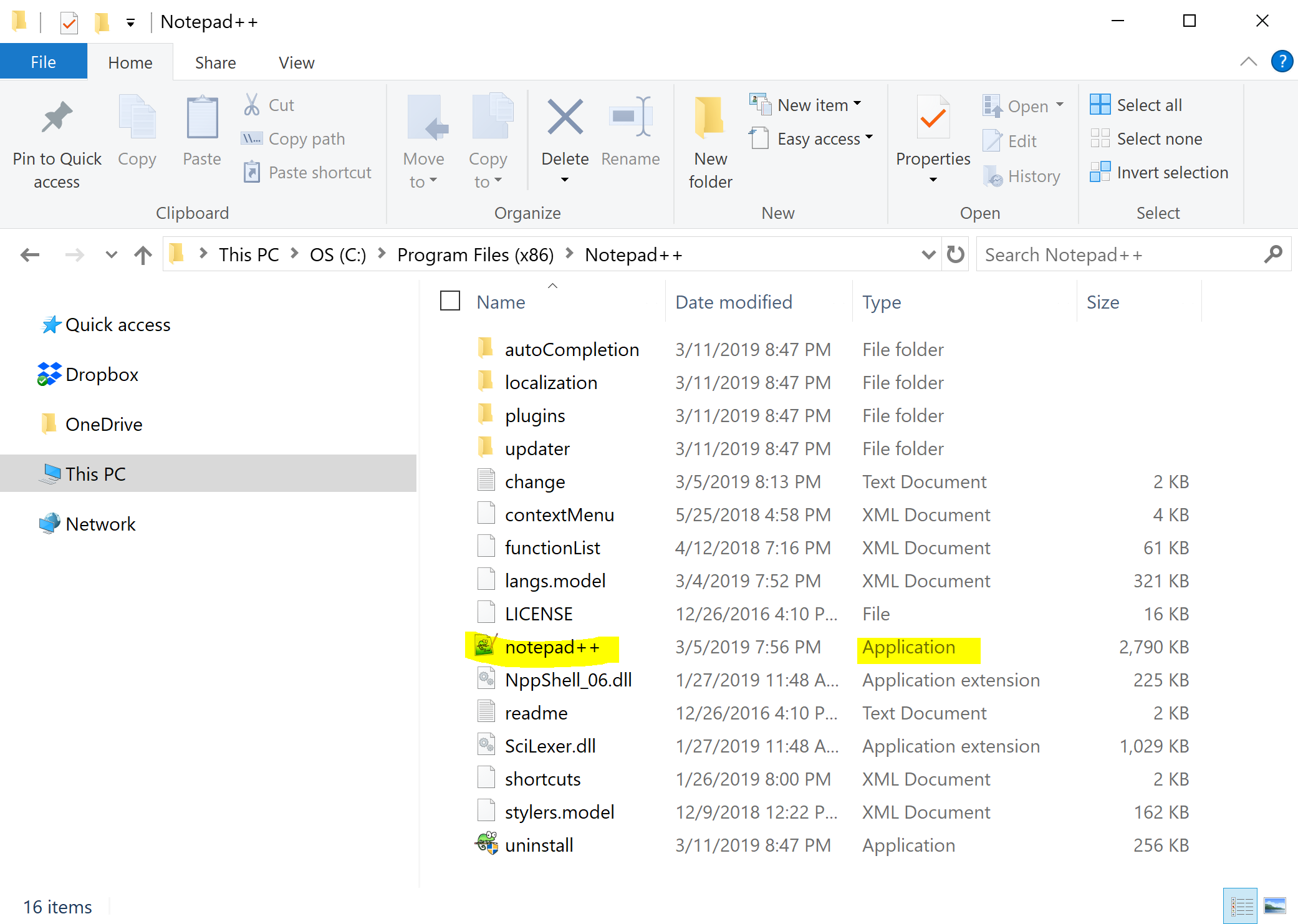
You can use File Explorer to click around and try to find your notepad++.exe. Another way to wander around your computer’s file structure is through Git Bash.

You might also wander around your Windows machine not to locate an executable, but to open and close several different files that are part of a singular coding project. In fact, this is very common. Good programmers have a designated home for such projects. I put mine in my home directory, under a folder (or directory) I made called, “Projects.”
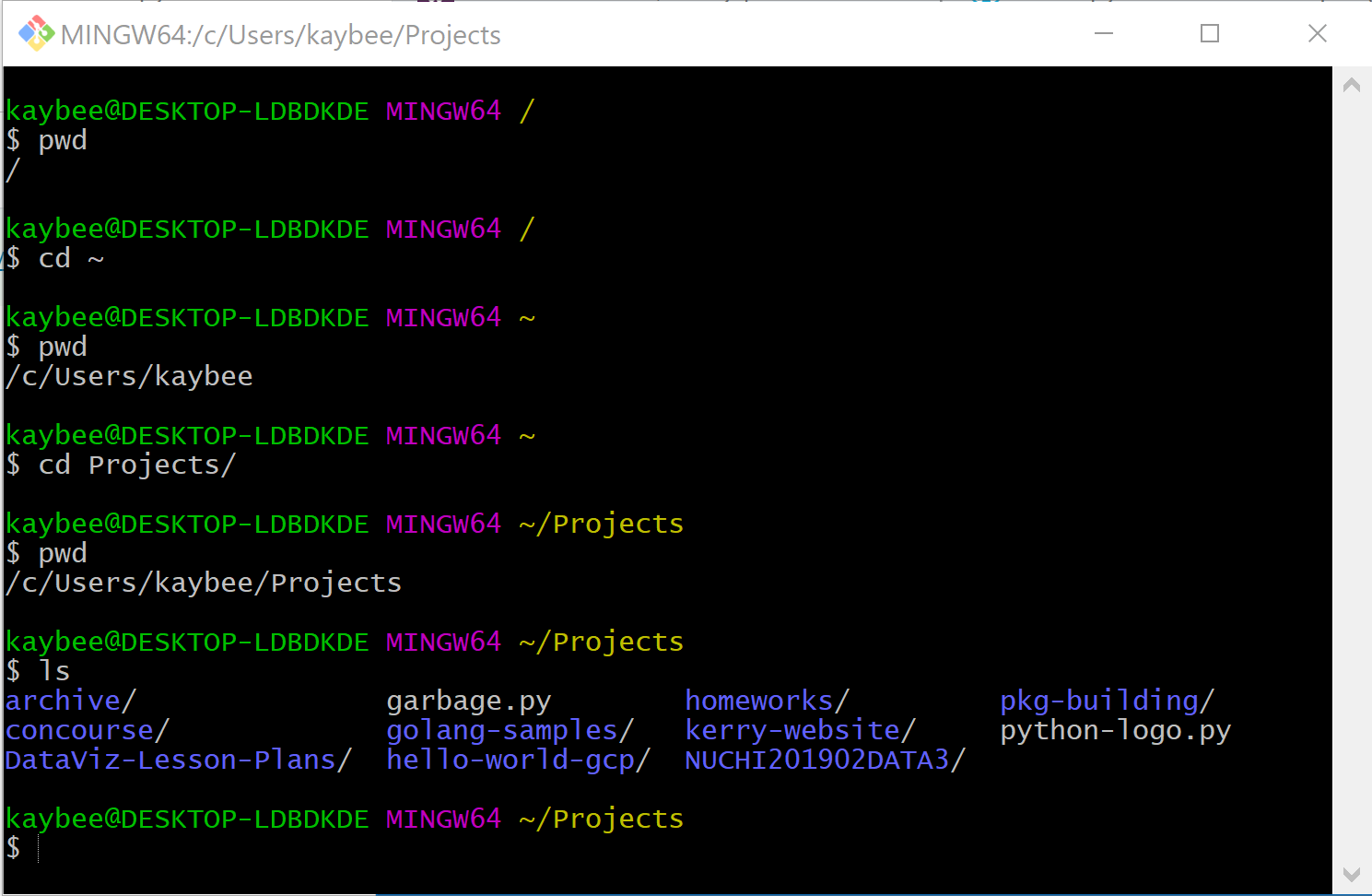
Simple.
What if I want to be able to open a file with Notepad++ via Git Bash? An example of this is something that the IDE Visual Studio (VS) Code actually does by default:

Wherever you are in Git Bash, if you have VS Code installed and use the code keyword:
$code <name-of-file>.<include-extension>
it will open the file with VS Code. It’s really nice because I don’t have to click anything, and I can immediately start to edit code. I can unleash the brain tangents.
By the way — VS Code is my favorite IDE, when I do use one.
They’re not all that bad, IDE’s.
Still, I want to use a keyword that opens the file with Notepad++. Git Bash can do it for Code, so why not NPP? While this isn’t something that happens by default, we can “configure” Git to do that for us.
We have 2 things to do:
- Tell Git Bash what to call notepad++.exe so you don’t have to type all that out every time. In other words, assign an alias to the executable.
- Tell Git Bash where to find the Notepad++ executable. In other words, give it a path to where notepad++.exe lives.
So, quick! Decide on a cool name for your alias.
I’m going to use npp, for Notepad, Plus, and Plus.
You do you.
Recall where you had found your notepad++.exe, whether it be Program Files or Program Files (x86). Then enter the relevant command into your Git Bash.
Program Files (x86)
$cd; alias npp="'C:\\Program Files (x86)\\Notepad++\\notepad++.exe'"
Program Files
$cd; alias npp="'C:\\Program Files\\Notepad++\\notepad++.exe'"
Finally, test out your cool new toy by using the alias you assigned with a file that is in your present working directory (pwd). For example, I can use $npp hello_world.py and the file opens right up with Notepad++. No clicking necessary.
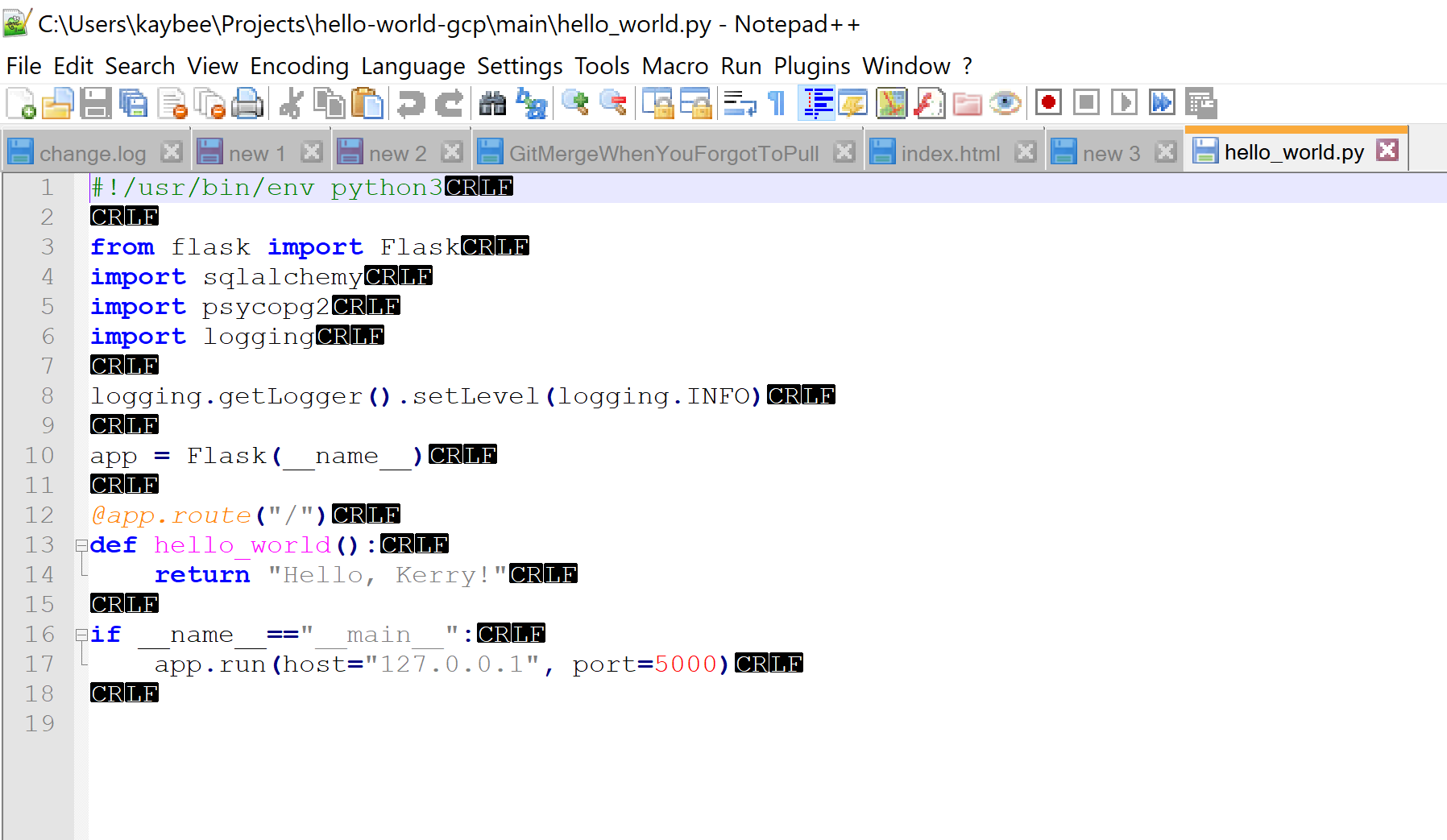
Please note: I don’t trust line endings so I print them out; you won’t necessarily see those (View --> Show Symbol --> End of line to turn that on or off).
Source, and for more information, such as if you saved it elsewhere.
Mac users! Sorry… Notepad++ won’t work on your machine (here are some alternatives). But you could still configure one of these alternatives. TextMate has it’s own utility, so you can just add that to PATH. Here’s more info on that. You could use Sublime, which isn’t free, but go for it, we’re not here to judge. You could also just use the VIM…you are a Mac user after all. Play the part! And don’t worry — you can always Learn the VIM in 2 Minutes.

 how2py
One thought on “How to open stuff with Git Bash”